
Landrover Defender (98-16) HIGH SPEC Emulator Unit (10ASE)
10ASE – HIGH SPEC ECU EMULATOR
APPLICATIONS:
LANDROVER DEFENDER, 1998-2016
To suit TD5 and Puma engines
Our 10ASE Replaces both the original 10AS (green) and ALM (black) ECU units.
Common problems include inability to recognise remotes, and inability to learn new ones.
Data corruption after flat vehicle battery, cold starts or similar.
Replacements are no longer available (10AS) or on long back-order (ALM).
There are two versions of the emulator:
THIS VERSION:-
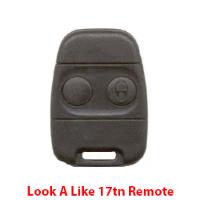
High Spec – Open & Start with Look-a-Like Rover 17tn/10AS Remotes (2 Supplied)
Supplied with EKA.
Additional Look-A-Like Remotes may be added to the new emulator unit with any aftermarket programming tool.
OR LOW SPEC– To Start with Non-Chip Key
The OBD Programming POD may be required
To match 10ASE to Engine Management without dealer tool.
Please note this is single use but may be returned to NW Keys for recycling.
Directions for use using the OBD Programming Pod:-
Firstly, check the vehicle's battery health before doing anything as it's likely the vehicle will have stood for some time.
1) Leave the original ALM or 10AS unit fitted to the car.
2) Plug the Programming Pod into the OBD socket. The LED on the Pod should turn yellow while the Pod is working, and then go to flashing green to indicate success.
3) Unplug the Pod.
4) Remove the original 10AS or ALM unit, and plug in the replacement.
5) Plug the Pod back into the OBD. The LED on the Pod should go from yellow to solid green.
6) Remove the Pod from the OBD socket. The car should then start.
7) Optional:- The OBD Programming Pod can be returned to us for recycling.


